Signature design technique
Edge-Traced Photo Mosaics: Artist-Designed Cells That Follow the Image
A photo mosaic does not have to be limited to a regular grid. Our Edge-Traced Photo Mosaic Design process begins with the contours of the main image: an artist creates irregular cell boundaries and regions that follow the outlines of important subjects, and photo-matching software then fills the designed cells with photographs from the image collection.
An edge-traced photo mosaic is a custom-designed photo mosaic in which an artist creates irregular cell boundaries and regions that follow important contours in the main image. Photo-matching software then fills the designed cells with photographs from a source collection. By combining human design judgment with automated photo matching, this approach creates a mosaic structure that is more closely tailored to the original subject.
Why Go Beyond Regular Photo Mosaic Grids?
Regular grids are practical and work well for many photo mosaic projects — much of our own gallery is built on them. But their fixed cell boundaries do not necessarily correspond to the natural contours of the objects in the main image:
Faces. A face may be divided by grid boundaries that do not follow its outline.
Silhouettes. An animal's silhouette may cross many unrelated rectangular cells.
Products and logos. A product or logo may have distinctive contours that a regular grid does not reinforce.
Edge-traced design makes the mosaic structure responsive to these visual features. Neither structure is universally better — different structures suit different images and design objectives.
What Is Edge-Traced Photo Mosaic Design?
Edge-traced photo mosaic design is a custom composition technique in which an artist creates irregular cell boundaries and regions that follow the contours of important subjects in the main image. Instead of relying on a predefined grid or geometric pattern alone, the designer adjusts the shape, size and placement of cells to reinforce important outlines and visual structures.
The designed cells are subsequently populated through photo-matching software. The structure is a deliberate design — not a random irregular pattern, and not something the software generates on its own.
From Image Contours to a Finished Photo Mosaic
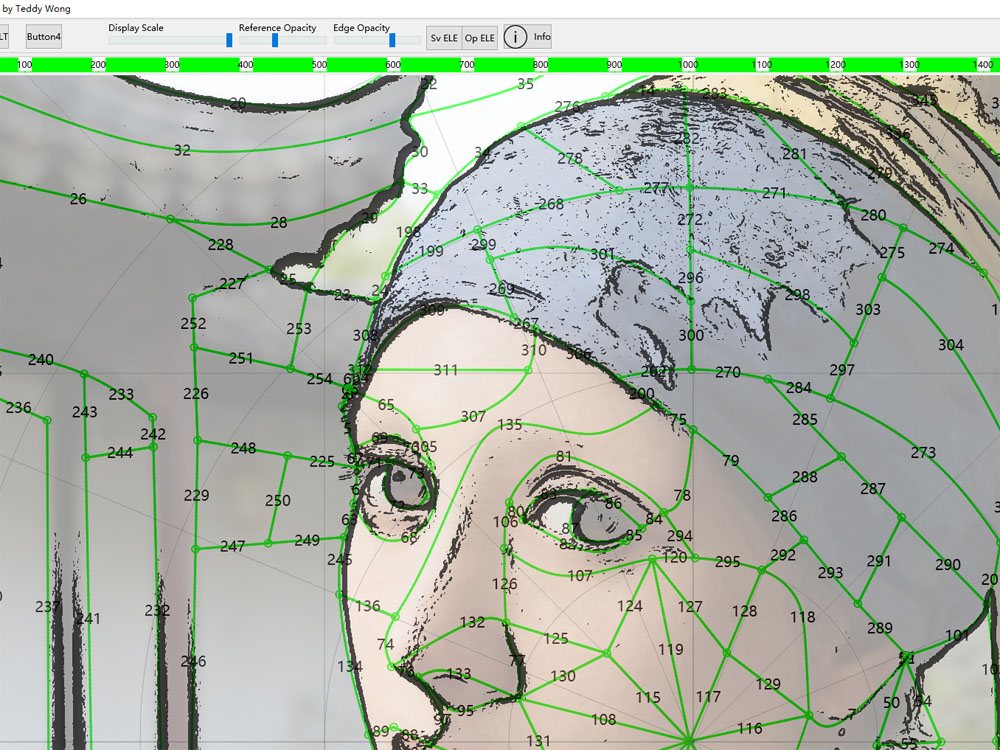
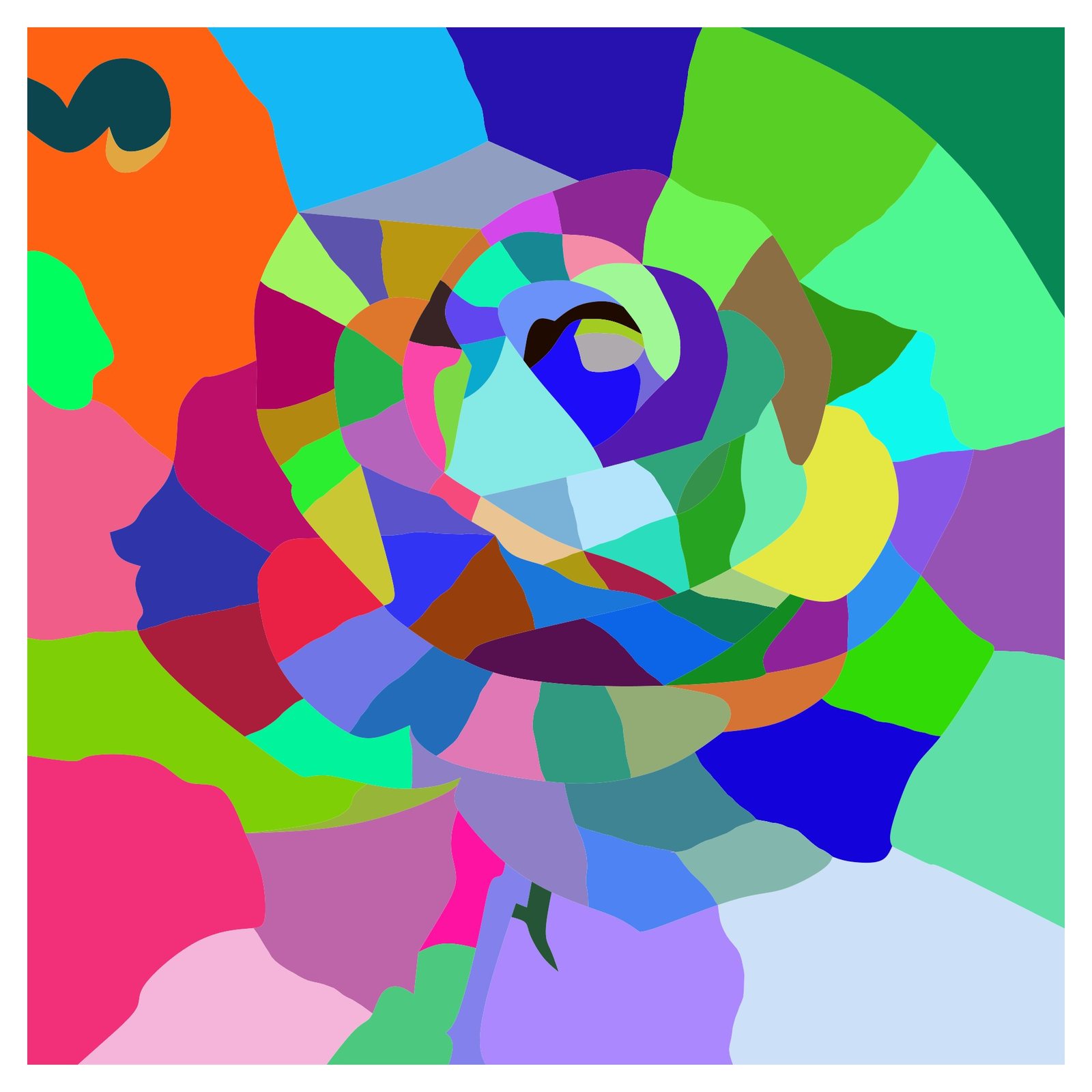
Stage 1 — Artist-designed cells and regions
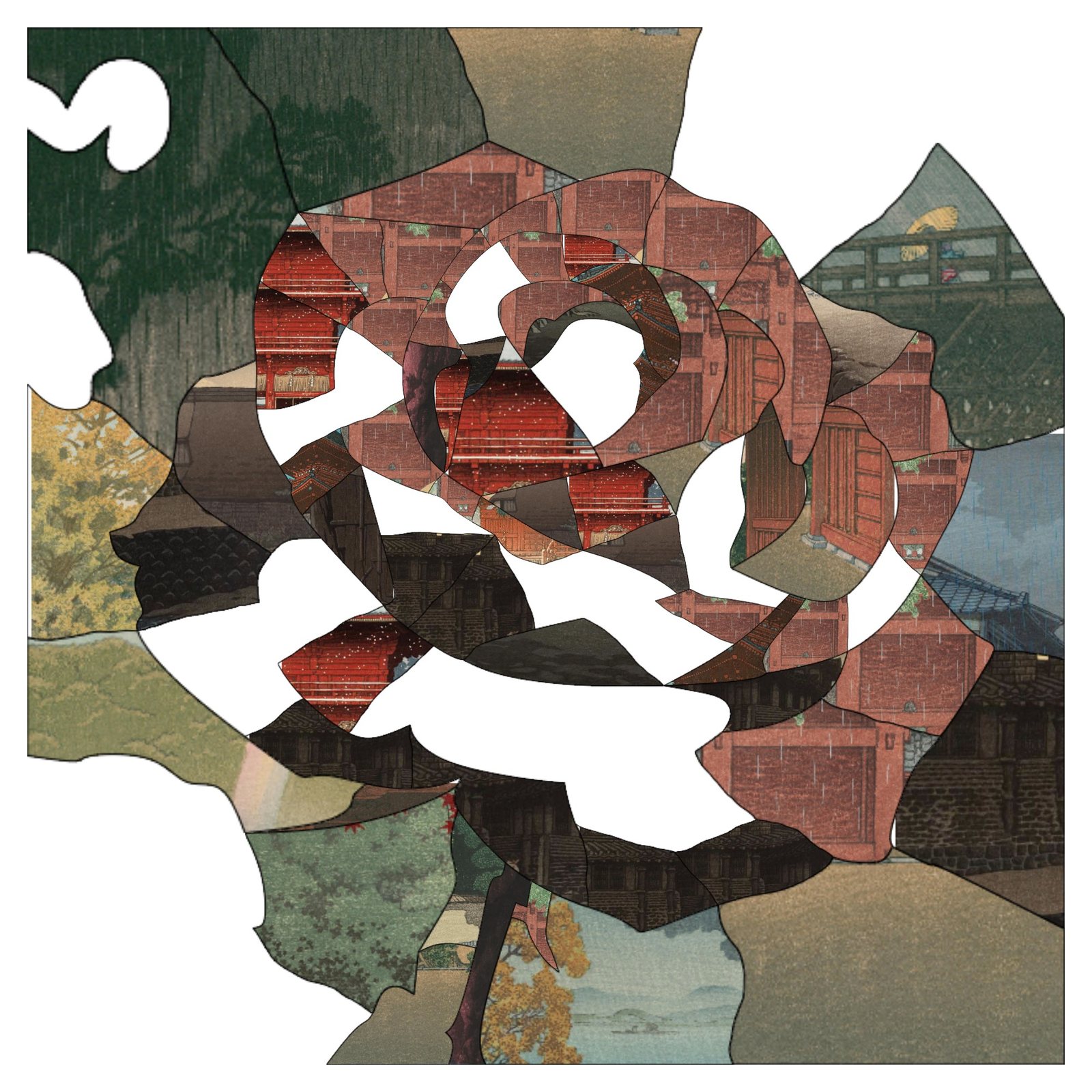
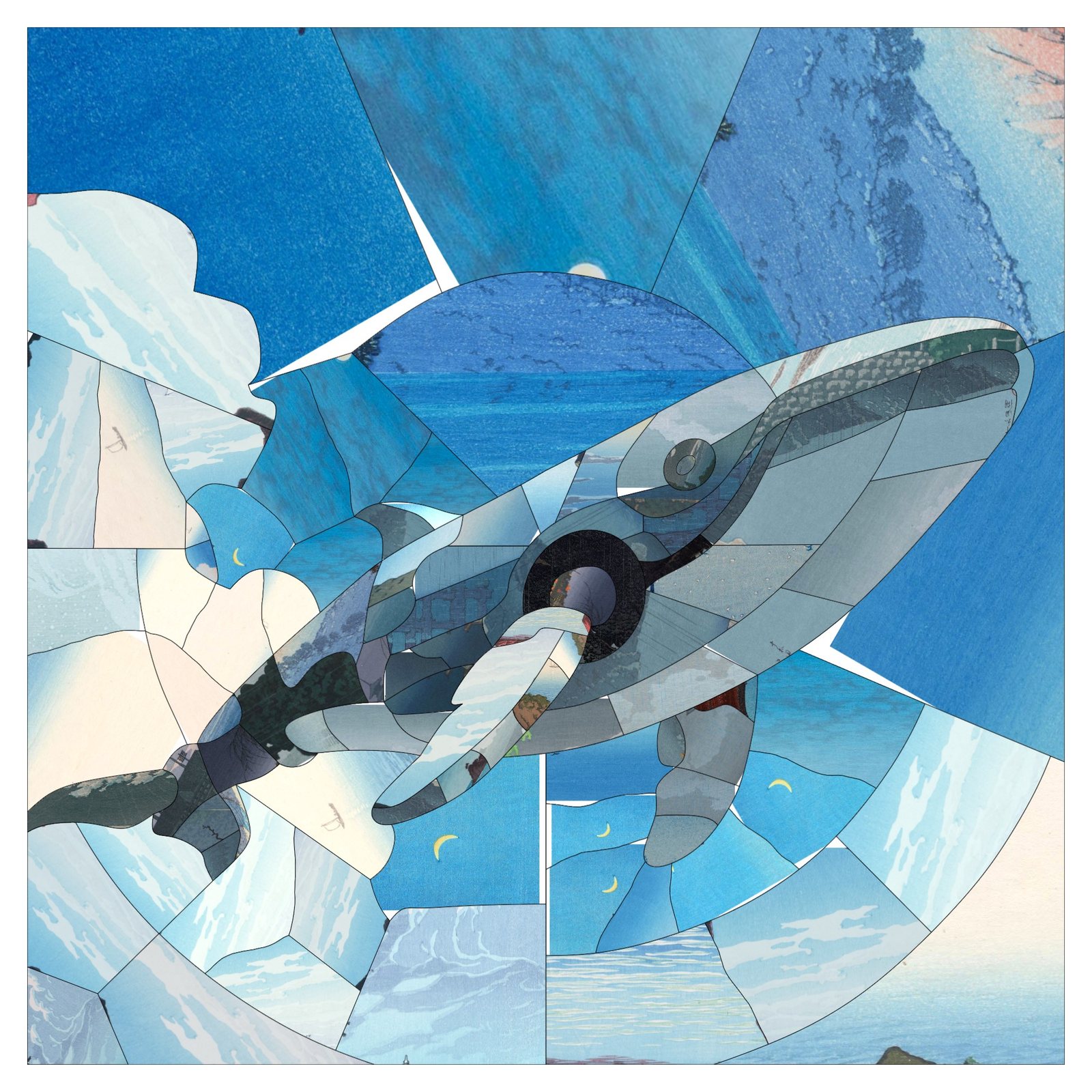
The artist examines the main image and identifies important subject boundaries, silhouettes and visual features — then designs irregular cells and larger regions, adjusting their shapes, sizes and placement to reinforce the desired contours.
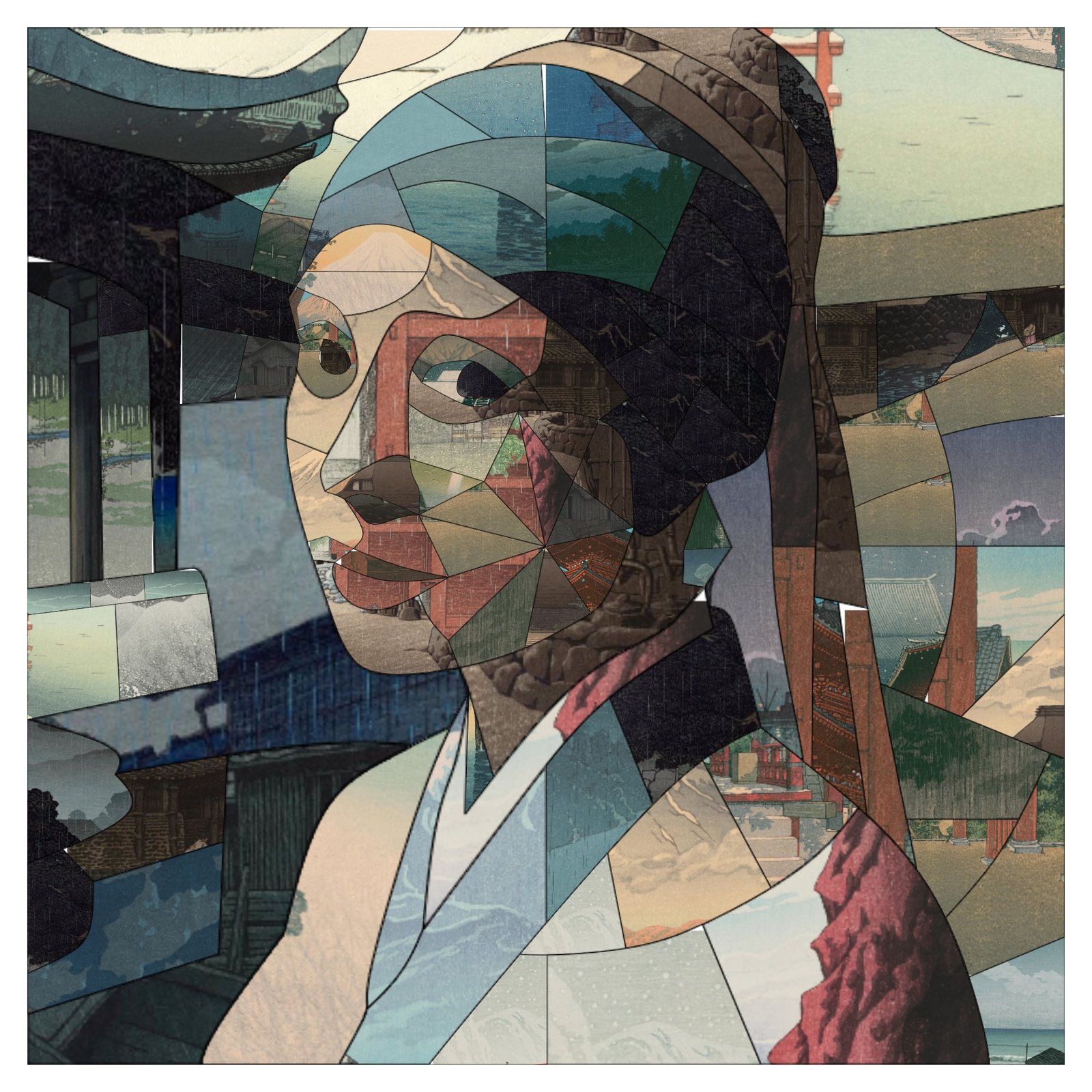
Stage 2 — Automated photo matching
The designed cell structure is processed by photo-matching software, which analyzes the available source photographs and matches a suitable photograph to each individual cell.
Stage 3 — Final mosaic rendering
The matched photographs are assembled into the completed mosaic, combining the artist's structural design with automated image matching.
The artist designs the structure. The software matches the photographs.
See the Difference
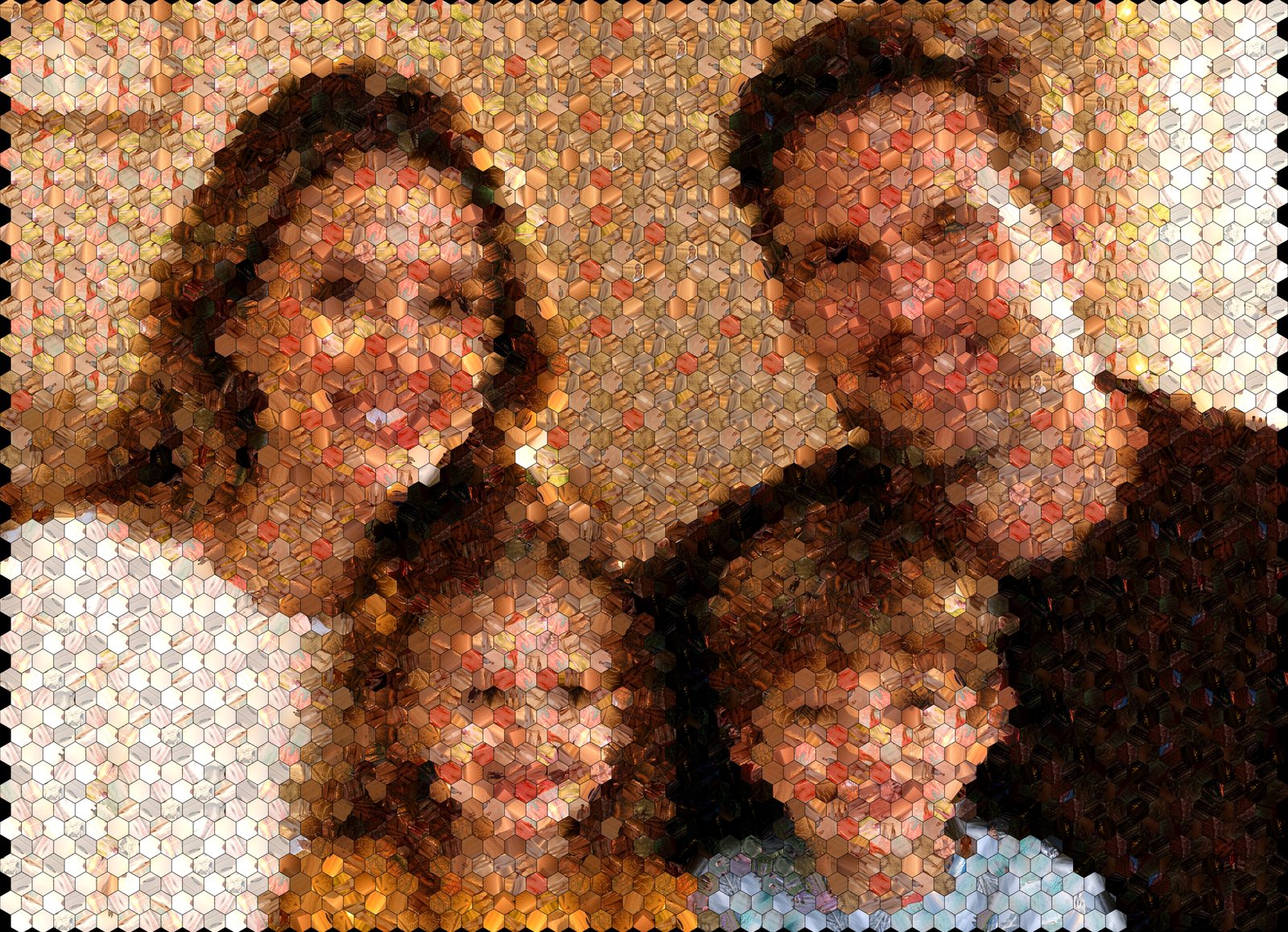
Real projects from our studio, shown at each stage of the two-step process — artist-designed structure first, photo matching second.
When Is Edge-Traced Design Most Useful?
The approach earns its keep when the silhouette or outline of the main subject carries the image:
Portraits and family photographs
Faces and figures where the outline is the identity of the image.
Animals and wildlife
Distinctive silhouettes that a grid would slice arbitrarily.
People and recognizable figures
Poses and gestures that deserve to survive the translation into cells.
Products and distinctive objects
Forms whose contours are the brand.
Logos and branded imagery
Subject to the customer's rights in the underlying artwork.
Large display mosaics and commissions
Special projects where composition is examined at every scale.
Not every image benefits equally. The designer selects the structure — regular grid, geometric pattern or edge-traced — according to the image and the intended result.
Not All Irregular Photo Mosaics Are the Same
Several cell structures appear in photo mosaic work, and "irregular" alone says little:
Regular grid. Cells follow a uniform grid.
Voronoi pattern. Cells are formed through geometric regions around generated points.
Delaunay triangle pattern. Cells follow a triangulated geometric structure.
Edge-traced design. An artist creates cell boundaries and regions to follow important contours in the main image.
The distinction is not simply that the cells are irregular — it is that their structure is deliberately designed around the subject. Other tools and studios can produce irregular mosaics; what matters is how the structure comes about, which is why we show the process rather than claim exclusivity.
Commission an Artist-Designed Photo Mosaic
Some projects benefit from more than an automatic mosaic layout. If your image contains important silhouettes, recognizable subjects or distinctive contours, our professional custom design service can explore whether edge-traced design is suitable for your project — the technique is recommended per project, not applied by default.
Discuss Your Photo Mosaic ProjectPrefer to start with the software?
The online and desktop versions create photo mosaics with grids, cell shapes and geometric patterns — a different tool for a different kind of project.